
 Github Repository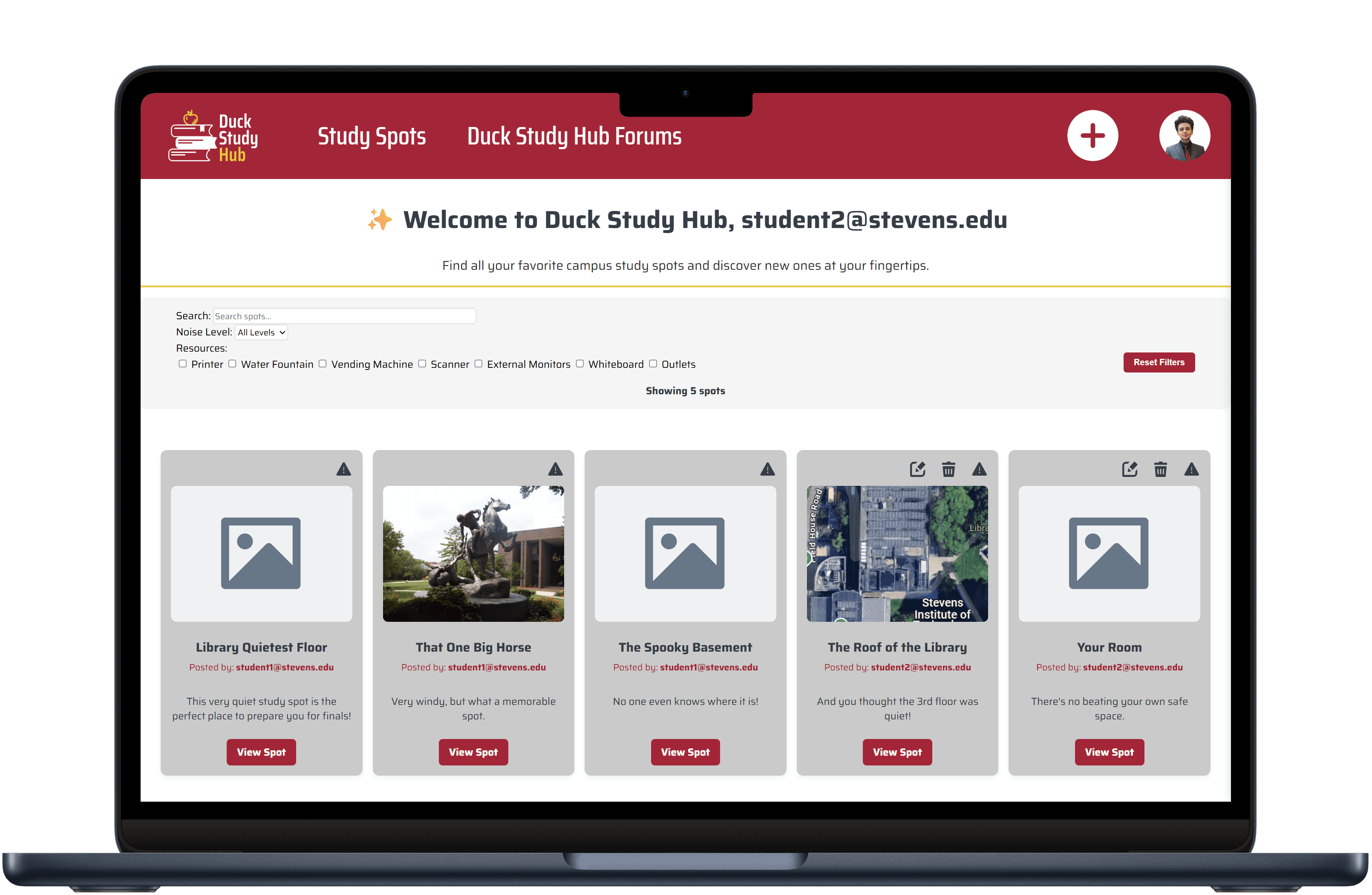
Project Overview
Technologies Used:

Figma

Handlebars

CSS

JavaScript
Role: UX/UI Designer & Full Stack Developer
Timeline: April 2025 - May 2025
Campus-based social networking application where students rate and review study spots, discuss in forums, and filter locations by noise level and available resources.
Design & Development Process
I began this project by introducing a high-fidelity Figma prototype for the project's landing page once the user is authenticated. The prototype introduces the specific styling of the entire website, following the school’s official branding guidelines that I have obtained working as a Student Digital Strategist for the School of Humanities, Arts and Social Sciences, which included primary colors, secondary colors, typography, font styling, and design guidelines. The Figma prototype’s main design is the grid approach to each study spot. Each study spot is visualized as a card component that shows the user’s study spot thumbnail, a call-to-action to comment or rate the spot, the original poster’s username, and the average rating visualized as a five-star scale. This ensures information is consolidated in a uniform way while still being easy to process, given the common convention of reviewing sites and social media sites with the preview of a post with key details. The prototype served as a blueprint for translating design to CSS rules, which was our earliest form of development. Subsequently, we split development by each database collection (portion of the database) to which I was responsible for the full stack forum functionality (CRUD operations, Express.js routing, client-side validation) and additionally developed:
- A dynamic filtering and searching of campus study spots via direct DOM manipulation for a better user experience
- CSS breakpoints for responsive mobile design (viewport width with less than 982 pixels)
- Client-side validation for forum reporting
- Profile picture feature, where users can upload an image to represent their profile picture
Results & Learning
I learned from experience how useful it was to get the ball rolling with Figma, even if it was a single landing page, as well as create initial HTML elements with their respective rules. As a group of four, we met the overwhelming majority of our expectations in our codebase by preventing XSS attacks, with comprehensive input invalidation, while having the time to incorporate the full stack implementation of profile pictures as our extra credit proposal. Moving forward, post-launch testing could assess whether our grid-approach of the study spots landing pages provides an eloquent user experience and how students on our campus feel about using our product throughout their user journey.